
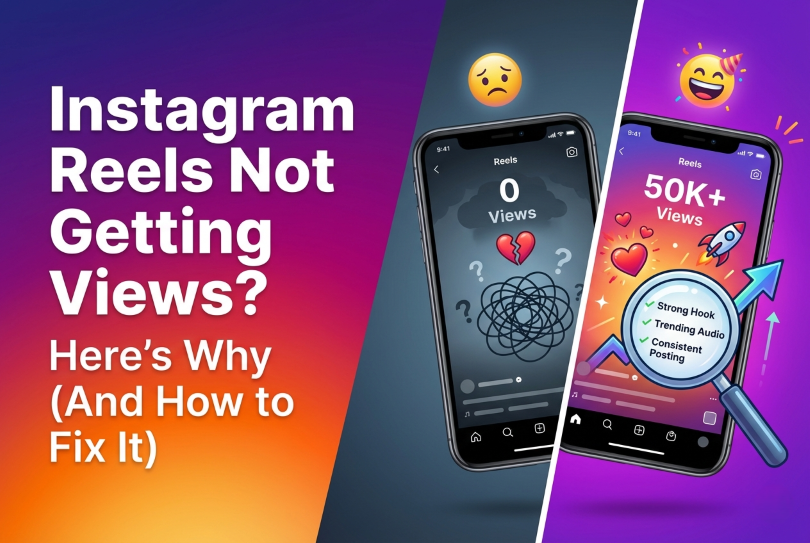
| Quick Answer – If your Instagram Reels are not getting views, the most common reasons are a weak hook in the first 1–3 seconds, poor video quality, posting at the wrong time, using banned or irrelevant hashtags, and low account engagement. Fixing even one or two of these can dramatically increase your Reel’s reach. This guide breaks down all five reasons with clear, actionable fixes you can use today. |
Contents
- 1 Why Instagram Reels Views Matter More Than Likes
- 2 How Instagram Decides Who Sees Your Reel
- 3 Reason 1 — Your Hook Is Weak (The First 3 Seconds Problem)
- 4 Reason 2 — Your Video Quality Is Hurting Your Reach
- 5 Reason 3 — You’re Posting at the Wrong Time
- 6 Reason 4 — Your Hashtags Are Working Against You
- 7 Reason 5 — Your Account Engagement Is Too Low
- 8 What the Instagram Algorithm Actually Rewards in 2026
- 9 How to Check If Your Reel Is Being Suppressed
- 10 A Simple 7-Day Reels Fix Plan
- 11 Frequently Asked Questions
- 12 Final Thoughts
Why Instagram Reels Views Matter More Than Likes
Most people check their likes first. That is a mistake.
Views are the real number to watch. When someone views your Reel — especially when they watch it more than once — Instagram treats that as a strong signal. It means your content held attention. And attention is the currency of the algorithm.
Here is the simple truth: Instagram wants to keep people on the app as long as possible. Any content that makes users stop scrolling and watch gets pushed to more people. Any content that gets skipped gets buried.
So if your Reels are sitting at 50 or 100 views while your follower count is in the thousands, something is broken. This guide will help you find exactly what that is.
How Instagram Decides Who Sees Your Reel
Before fixing the problem, you need to understand why it exists.
Instagram uses a recommendation system to decide which Reels to show to which users. This system looks at several factors:
- Watch time — Did people watch your full Reel? Did they replay it?
- Saves and shares — Did viewers save it to come back to later? Did they send it to a friend?
- Comments — Did the Reel spark enough interest to make someone write something?
- Profile visits — After watching, did viewers click through to your profile?
- Skip rate — How quickly did people swipe away from your Reel?
Instagram tests every new Reel with a small group of users first. If that small group responds well, the algorithm pushes it to a larger audience. If the initial group skips it fast, the Reel gets no more reach.
This is why posting quality content consistently matters far more than posting high quantities of average content.
Reason 1 — Your Hook Is Weak (The First 3 Seconds Problem)
This is the number one reason Reels fail to get views. Full stop.
The first one to three seconds of your Reel determine everything. That tiny window decides whether someone keeps watching or swipes away. And if they swipe away, Instagram’s algorithm notes that as a rejection signal.
What a weak hook looks like
A weak hook is any opening that does not immediately grab the viewer’s attention. Here are common examples:
- Starting with a long intro: “Hey guys, welcome back to my page…”
- Starting with silence or a slow fade-in
- Beginning with your face and no text or action
- Starting mid-task without context
- Using a generic opener like “Today I want to talk about…”
These openings give people zero reason to stay. On a platform where the next video is one swipe away, that is fatal.
What a strong hook looks like
A strong hook does one of three things immediately: it surprises, it promises something valuable, or it creates a question the viewer wants answered.
Examples of strong hooks:
- “I wasted three years posting Reels before I figured this out…”
- “Stop doing this if you want more views on Instagram.”
- “Here is why your content is being hidden by the algorithm.”
- (Visual hook) — cutting straight into the most dramatic or visually interesting moment of your video
The goal is to create what content strategists call a “pattern interrupt.” Something that stops the default scroll and forces the brain to pay attention.
How to fix your hook
Start writing your hook before you film the rest of the Reel. Think of it as a headline for a news article. If the headline is boring, nobody reads the article — no matter how good it is.
Test different hooks by making small variations of the same Reel opening. Check your Instagram Insights to see which version gets the highest average watch time. That is your data point.
According to Meta’s own creator guidance, Reels with a strong visual or spoken hook in the first two seconds retain significantly more viewers than those without one.
Reason 2 — Your Video Quality Is Hurting Your Reach
Instagram’s algorithm favors high-quality video. That does not mean you need a professional camera. But it does mean certain quality mistakes will actively suppress your Reel’s reach.
The most common quality mistakes
- Uploading a compressed or previously-posted video. If you download a video from TikTok and repost it to Instagram Reels, Instagram detects the watermark and the re-compression. Both hurt your reach. Always use original, unedited files when possible.
- Wrong aspect ratio. Instagram Reels are designed for a 9:16 vertical format (1080 x 1920 pixels). If your video has black bars on the sides or is horizontal, it signals to the algorithm that this content was not made for Reels.
- Low resolution or shaky footage. Blurry or heavily shaky video performs poorly. It does not hold viewer attention, which tanks your watch time, which tells Instagram to stop promoting the Reel.
- Bad audio. Viewers will watch a slightly grainy video if the audio is clear. But bad audio — especially choppy speech or muffled sound — kills watch time almost immediately.
What good quality actually means in 2026
You do not need a studio. You need:
- A phone camera from the last three to four years
- Good natural lighting or a basic ring light
- A quiet space with minimal background noise
- Stable footage — a tripod or a stack of books works fine
- Captions or text overlays (many viewers watch without sound)
Captions deserve special mention. Instagram’s own data shows that a significant percentage of users watch Reels with sound off. Tools like CapCut (free) and Adobe Premiere Rush can auto-generate captions from your video in minutes.
File export settings that help
When exporting from a video editor, use these settings for Instagram Reels:
- Resolution: 1080 x 1920 (full HD vertical)
- Frame rate: 30fps or 60fps
- File format: MP4 (H.264 codec)
- Bitrate: 3.5 Mbps or higher
Reason 3 — You’re Posting at the Wrong Time
Timing is one of the most underestimated factors in Reels performance.
When you post a Reel, Instagram first shows it to a portion of your existing followers. If they engage quickly, the algorithm takes that as a positive signal and shows it to more people. If your followers are asleep when your Reel goes live, that initial push produces nothing.
Low initial engagement tells Instagram the content is not performing well — even if the content itself is excellent. And once a Reel gets ignored in its first few hours, it rarely recovers.
How to find your best posting time
Go to your Instagram professional dashboard. Under Insights, look at your audience data. Instagram shows you when your followers are most active by day and by hour.
This data is specific to your account. General advice like “post at 6pm on Tuesdays” is based on averages across all accounts. Your audience may be completely different.
For most business accounts targeting working adults, peak active times tend to cluster around:
- Early morning: 7am to 9am (people checking phones before work)
- Lunch break: 12pm to 1pm
- Evening: 6pm to 9pm (after work wind-down)
How often should you post Reels?
Posting low-quality Reels frequently will actually hurt your account over time. Instagram tracks how consistently your content performs. An account that posts five weak Reels in a week builds a poor performance history.
A better strategy: post three to four high-quality Reels per week with strong hooks, good production, and genuine value for your target audience. Quality over quantity is not just advice — it is how the Instagram algorithm is designed to work.
Hashtags were once the primary tool for expanding Instagram reach. Their role has shifted significantly, but they still matter — and using them wrong can actively damage your Reel’s performance.
Common hashtag mistakes
- Using banned hashtags. Some hashtags have been flagged by Instagram for spam or inappropriate content. Using even one banned hashtag can suppress your Reel’s reach across all hashtags.
- Using oversaturated hashtags. Tags like #love or #instagood have hundreds of millions of posts. Your Reel will appear in that feed for approximately two seconds before being buried.
- Using irrelevant hashtags. If you run a bakery account and use hashtags related to fitness or travel, Instagram’s system recognizes the mismatch and penalizes your reach.
- Using the same hashtags on every single post. Instagram’s spam filters flag accounts that repeatedly use identical hashtag sets.
The current best practice for Reels hashtags is:
- Use three to five highly relevant hashtags per Reel (not 30)
- Mix one or two mid-size hashtags (100K to 1M posts) with smaller niche hashtags (10K to 100K posts)
- Make sure every hashtag accurately describes your content
- Research hashtags your target audience actually follows and uses
Instagram has stated publicly that it now uses hashtags primarily to understand the topic of your content — not to distribute it. Think of hashtags as labeling your content correctly, not as a distribution engine.
What about keywords in captions?
Yes, they matter. Instagram now uses caption text to understand what your Reel is about. Include natural, relevant keywords in your caption — not keyword-stuffed sentences, but clear descriptions of what your content covers.
Reason 5 — Your Account Engagement Is Too Low
This one surprises a lot of creators. Your Reels do not exist in isolation. Instagram evaluates the overall health of your account before deciding how much reach to give your new content.
An account with 10,000 followers but an average of 20 likes and two comments per post has what is called low account-level engagement. The algorithm reads this as: “This account’s followers are not very interested in this content.”
Why engagement drops happen
- Follower mismatch. If you used follow-for-follow strategies or bought followers, your follower count is inflated with accounts that have no real interest in your content.
- Inconsistent posting. When you go weeks without posting, your followers disengage. When you come back, the algorithm does not immediately restore your reach.
- Content drift. If you pivoted to a new topic your existing audience is not interested in, engagement will drop sharply.
- No engagement with your own community. Instagram rewards accounts that reply to comments, engage with other creators, and respond to DMs.
How to raise your engagement rate
Start by engaging before and after you post. In the 30 minutes before publishing, actively comment on posts from accounts in your niche. In the 30 minutes after publishing, reply to every comment your Reel receives.
Ask a genuine question in your caption. Not a forced “double-tap if you agree” — something your target audience actually wants to answer.
If your engagement rate is very low (under 1% for accounts over 10K followers), run a content audit. Look at your last 20 posts and identify which content types and topics generated the most engagement. Double down on those.
What the Instagram Algorithm Actually Rewards in 2026
The Instagram algorithm has evolved significantly. Here is what it currently prioritizes for Reels:
- Original content. Instagram gives lower distribution to reposted content, especially content with visible watermarks from other platforms.
- Strong completion rate. A 30-second Reel with an 80% completion rate will outperform a 2-minute Reel with a 20% completion rate almost every time.
- Shares over likes. When someone shares your Reel to their Stories or sends it via DM, Instagram treats this as an exceptionally strong signal.
- Profile clicks. When viewers click through to your profile after watching a Reel, that is a strong positive signal.
- Substantive comments. Longer, genuine comments carry far more weight than single-emoji reactions.
How to Check If Your Reel Is Being Suppressed
Sometimes the problem is not your content — it is your account’s status. Here is how to check.
- Check for policy violations. Go to Settings > Account > Account Status. If any past content violated guidelines, it may have restricted your overall reach.
- Check your Reel insights. Tap the three dots on each Reel and select View Insights. Look at the breakdown of where your views came from — Home feed, Explore, Reels tab, Hashtags, Profile. If nearly all views are from followers and nothing from Explore or Reels tab, your content is not being distributed beyond your current audience.
- Look for ‘Not Recommended’ flags. Instagram flags borderline content that will only be shown to your existing followers and not appear in discovery feeds.
A Simple 7-Day Reels Fix Plan
Here is a practical action plan you can start today.
Day 1 — Audit your last 10 Reels.
Open each one in your Insights. Write down the average watch time and reach for each. Identify your top two and bottom two performers. What was different about the top two?
Day 2 — Fix your hook formula.
Write five different hook scripts for your next Reel. Each one should start with either a surprising statement, a bold promise, or a question. Choose the strongest one.
Day 3 — Check your video quality.
Film a 30-second test video using the settings in this guide. Compare it to your previous Reels. Are they noticeably better?
Day 4 — Research your posting times.
Open your Instagram Insights and find the top two time windows when your audience is most active. Schedule your next three Reels to go out during those windows.
Day 5 — Clean up your hashtag strategy.
Delete any saved hashtag sets you have been using repeatedly. Build three new sets of five to seven hashtags each, all relevant to your niche and mixed in size.
Day 6 — Engage actively.
Spend 30 minutes commenting genuinely on posts from creators in your niche. Reply to all comments on your existing Reels. Check your account status in settings.
Day 7 — Post your new Reel.
Apply everything from this week. Film original content with a strong hook, good audio, captions, and correct dimensions. Post during your peak audience time. Then engage with anyone who comments within the first hour.
Frequently Asked Questions
Why do my Instagram Reels get views and then stop?
This is called the ‘spike and drop’ pattern. It happens because Instagram tests your Reel with a small audience first. If engagement slows or drops, so does the distribution. To prevent this, focus on content that encourages saves and shares — these actions continue driving distribution even days after posting.
How many views is good for a Reel?
This depends on your follower count. A healthy Reel should reach at least 10% to 20% of your total followers in the first 48 hours. If you have 5,000 followers, a ‘good’ Reel might hit 500 to 1,000 views. If your Reels are consistently below 5% of your follower count, something in this guide is likely the cause.
Does posting Reels every day help get more views?
Not necessarily. Posting daily without maintaining quality often hurts your reach over time. Instagram tracks your historical performance. Three to four strong Reels per week, posted at optimal times, will almost always outperform seven mediocre daily posts.
Why does my first Reel always do better than the rest?
New accounts often get a temporary boost when they first start posting Reels. Instagram wants to assess new content and gives it slightly elevated initial distribution. Once the algorithm has enough data about your account’s typical performance, it calibrates accordingly.
Do hashtags still work for Instagram Reels in 2026?
Yes, but their function has changed. Hashtags primarily help Instagram understand what your content is about and who it is relevant for. Use three to five accurate, niche-relevant hashtags per Reel. Focus more on content quality, hooks, and caption keywords for discovery.
What is the best length for an Instagram Reel to get more views?
The ideal length is whatever it takes to deliver your content — no longer. Shorter Reels (under 30 seconds) tend to have higher completion rates, which helps algorithmic distribution. The worst Reels are long ones that could have been short — these have high drop-off rates that kill reach.
Can I use trending audio to get more Reels views?
Yes, trending audio is still a useful tool. When you use audio marked with an upward arrow in Instagram’s audio library, Instagram is actively promoting Reels that use it. However, the audio alone will not save weak content. Use trending audio as a boost on top of strong content — not as a substitute for it.
Why are my Reels only being shown to my followers and not to new people?
This usually happens for one of three reasons: low account-level engagement, content that violated a guideline and was restricted, or content that did not perform well with the initial test audience. Check your account status in Settings, review your Reels Insights to see traffic sources, and focus on improving your hook and content quality.
How long does it take for a Reel to get views?
Most of a Reel’s views come within the first 24 to 72 hours after posting. However, Reels with high save rates can continue to get discovered for weeks via Instagram’s Explore and Reels recommendation tabs. Aim to create evergreen content — content that stays relevant and useful beyond the day you post it.
Should I delete a Reel that is not getting views?
Probably not. Deleting content can signal instability to the algorithm and does not typically improve your account’s reach. Instead, leave the Reel up, analyze what did not work using Insights, and apply those lessons to your next post. The only reason to delete a Reel is if it contains an error or violates a guideline.
Final Thoughts
If your Instagram Reels are not getting views, you are not alone. Most creators and businesses hit this wall at some point. The good news is that the problem is almost always fixable once you understand what is causing it.
Start with the hook. That single fix — making your first three seconds genuinely compelling — has the highest return on effort of anything in this guide. Once your hook is strong, move on to quality, timing, hashtags, and engagement.
The algorithm is not working against you. It is simply responding to signals. Your job is to give it better signals.
Apply the seven-day plan in this article, measure the results, and adjust. Reels growth is rarely linear, but it is consistent when the fundamentals are in place.
Want a free audit of your social media strategy? Contact Sakshi here or explore what AI-powered social media management looks like.